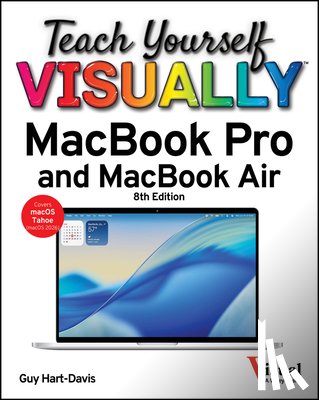
Teach Yourself VISUALLY MacBook Pro and MacBook Air
Hart-Davis, Guy
Description
Teach yourself VISUALLY(TM) Are you a visual learner? Do you prefer instructions that show you how to do something - and enable you to skip the long-winded explanations? If so, then this book is for you. Open it up and you'll find clear, step-by-step screen shots that show you how to tackle over 100 MacBook Pro and MacBook Air tasks. Each task-based spread covers a single technique, sure to help you get up and running on your MacBook in no time. You'll learn to: - Become an expert with your MacBook- Make macOS Tahoe work your way- Message, email, chat, and call- Stream music, videos, and more- Update and troubleshoot your MacBook Designed for visual learners - Two-page lessons break big topics into bite-sized modules- Succinct explanations walk you through step-by-step- Full-color screen shots demonstrate each task- Helpful sidebars offer practical tips and tricks
I have a question about the book:
‘Teach Yourself VISUALLY MacBook Pro and MacBook Air - Hart-Davis, Guy’.
Fill in the form below.
We will respond as fast as possible.
We value your privacy
We use cookies to measure traffic, improve Boekstra and let Google tailor ads to your interests. You can keep using the site either way — even if you decline. More info